
WARNING: Do not update the GHUB application as the exploit only works on this specific version!
WARNING: In some games, this exploit may be visible to anti-cheat systems. Use at your own risk.
Installation Steps
- 1Download and Install GHUB
Install the specific version of Logitech GHUB required for the exploit. - 2Configure Zelesis
Open Zelesis, scroll down in the Mouse tab, and change "Mouse Input Method" to ghub. - 3Restart Zelesis
Close Zelesis and reopen it. - 4Keep GHUB Open
Do not close the GHUB application while using the exploit. It must remain running in the background.
Force Disable GHUB Updates
To prevent GHUB from auto-updating and breaking the exploit, you must block its update servers using your hosts file.
Method: PowerShell Command
1. Open PowerShell as Administrator.
2. Copy and paste the following command, then press Enter:
Add-Content -Path "C:\Windows\System32\drivers\etc\hosts" -Value "`n`n# force disable ghub updates:`n127.0.0.1 updates.ghub.logitechg.com`n127.0.0.1 util.logitech.io" -NoNewline
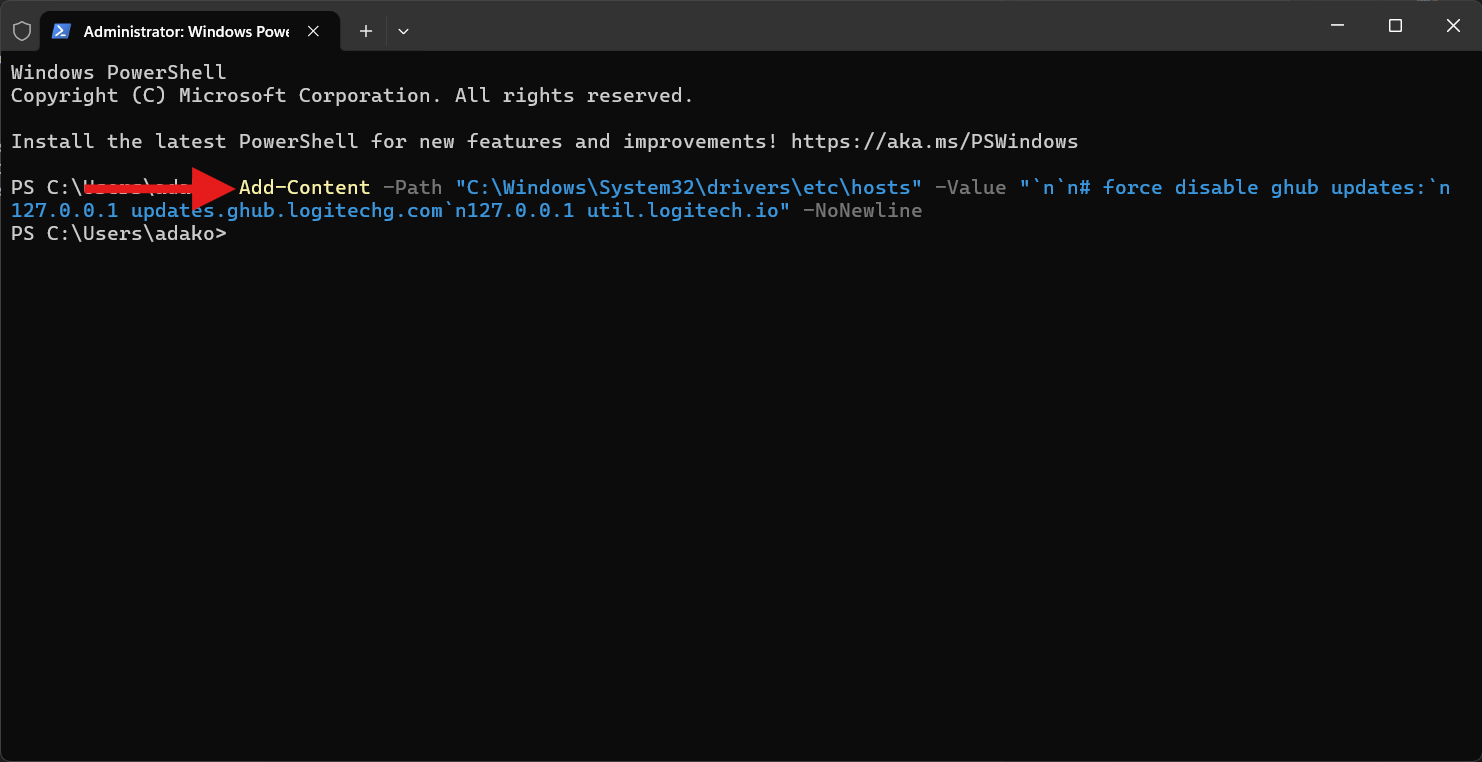
When finished, restart Zelesis to ensure all changes take effect.
 Zelesis AI